
Press kit
Meet people. Keep in touch.
PulseIn is a calm, private social network for meeting people and keeping in touch. Everything you need to write about it, or show it correctly, is on this page.

About
PulseIn, in 25, 50 and 100 words
Use these as written. They describe only what the app does today.
25 words
PulseIn is a calm, private social network for meeting people and keeping in touch. Share your card in a tap and remember how you met.
50 words
PulseIn is a calm, private social network for meeting people and keeping in touch. Share your Pulse Card by QR code, NFC, link or Apple Wallet, see who's around with Pulse Out, and remember where and when you met. Following is newest first, never ranked. PulseIn is free on iPhone.
100 words
PulseIn is a calm, private social network for meeting people and keeping in touch. Your Pulse Card is your profile, made to be handed over: keep one for work and one for everything else, and share it by QR code, NFC, a link or an Apple Wallet pass. At an event, Pulse Out shows who else nearby has it open, only while you choose to be seen. Every connection keeps where and when you first met. Following is newest first, never ranked, and the app carries no advertising SDKs or third-party analytics. PulseIn is free on iPhone; Pro is optional.
Fact sheet
The essentials
- Name
- PulseInOne word, capital P and capital I.
- Tagline
- Meet people. Keep in touch.
- In one line
- A calm, private social network for meeting people and keeping in touch.
- Platform
- iPhone, iOS 18 or later
- Price
- Free. PulseIn Pro is $1.99 a month or $19.99 a year (US prices; they vary by country) and adds a verified tick, subscriptions and tips, and private or approval-only communities.
- Status
- PulseIn 2.0 is coming soon to the App Store.A 2023 version (1.0.1) is still listed; 2.0 is a new app, rebuilt from the ground up.
- Age
- 16 and over
- Languages
- English
- Company
- Pulse and Pixel Corp
- Website
- pulsein.one
- Press enquiries
- Our contact page
Logos and icon
Confluence
Two drops of cobalt glass at the instant they join, with light running through the bridge. Use the files as supplied; the mark is never redrawn or recoloured.
Every icon size, the mark at 2048 px, lockups, wordmark and colours.
Horizontal lockup




Stacked lockup




Mark and wordmark




App icon



Icons are shown as on the home screen, with transparent corners; full-bleed squares and every size from 64 to 1024 px are in the logos ZIP. The mark is rendered glass, not a flat drawing, so it comes as PNG only; in the lockup SVGs the wordmark is vector outlines and the mark an embedded image.
Colours
Ink and paper, with one blue
PulseIn is monochrome. Cobalt is the only brand colour and appears in the mark and the Pulse orb, nowhere else. Copy any value.
- LightDark
Brand cobalt
RGB 65, 105, 200 · 138, 168, 240
The one brand colour. Only in the mark and the Pulse orb; never text, buttons or large fills.
- LightDark
Ink
RGB 0, 0, 0 · 255, 255, 255
Primary buttons, selected chips and text actions. Black in light mode, white in dark.
- Light and dark
Near-black
RGB 17, 17, 17
The dark-mode ground, and the ink of the wordmark in this kit.
- LightDark
Paper
RGB 255, 255, 255 · 17, 17, 17
Content screens: feed, profile, post detail.
- LightDark
Canvas
RGB 242, 242, 247 · 17, 17, 17
Grouped screens and sheets, and plain grounds in brand material.
- LightDark
Subscribe burgundy
RGB 122, 31, 53 · 184, 67, 94
Only the Subscribe button on a creator's profile, with white text. Not a brand colour.
- Light and dark
Wallet Ink
RGB 14, 15, 18
The Apple Wallet pass in its Ink tone. Draw it with a hairline on dark grounds.
colors.json, colors.css and the palette sheet are in the logos ZIP.
Typography
Poppins for headlines, SF Pro for everything else
Poppins gives PulseIn its personality in titles, hero names and the wordmark. Body text is Apple's system font, so the app reads like iOS.
Headlines · Poppins
ABCDEFGHIJKLMNOPQRSTUVWXYZ
abcdefghijklmnopqrstuvwxyz
0123456789 & @ # ?!
- Large titleBold 31
- Title 1Bold 26
- Title 2SemiBold 21
- PulseInWordmark · SemiBold, −0.02 em
Body · SF Pro
ABCDEFGHIJKLMNOPQRSTUVWXYZ
abcdefghijklmnopqrstuvwxyz
0123456789 & @ # ?!
- Title 3 · HeadlineSemibold 20 / 17
- Body text for posts and listsRegular 17 / 16
- Subheadline and secondary linesRegular 15
- Footnote · timestampsRegular 13
Licences. Poppins (Indian Type Foundry) is under the SIL Open Font License 1.1; get it with its licence from Google Fonts. SF Pro is Apple's system font, licensed for Apple platforms only, and is not included. This page shows your device's system font in its place. Poppins on Google Fonts.
Screenshots
The app, as it ships
Light mode, iPhone. Full-resolution files, including the App Store set with captions, are in the press kit ZIP. The accounts shown are fictional showcase people with painted portraits.
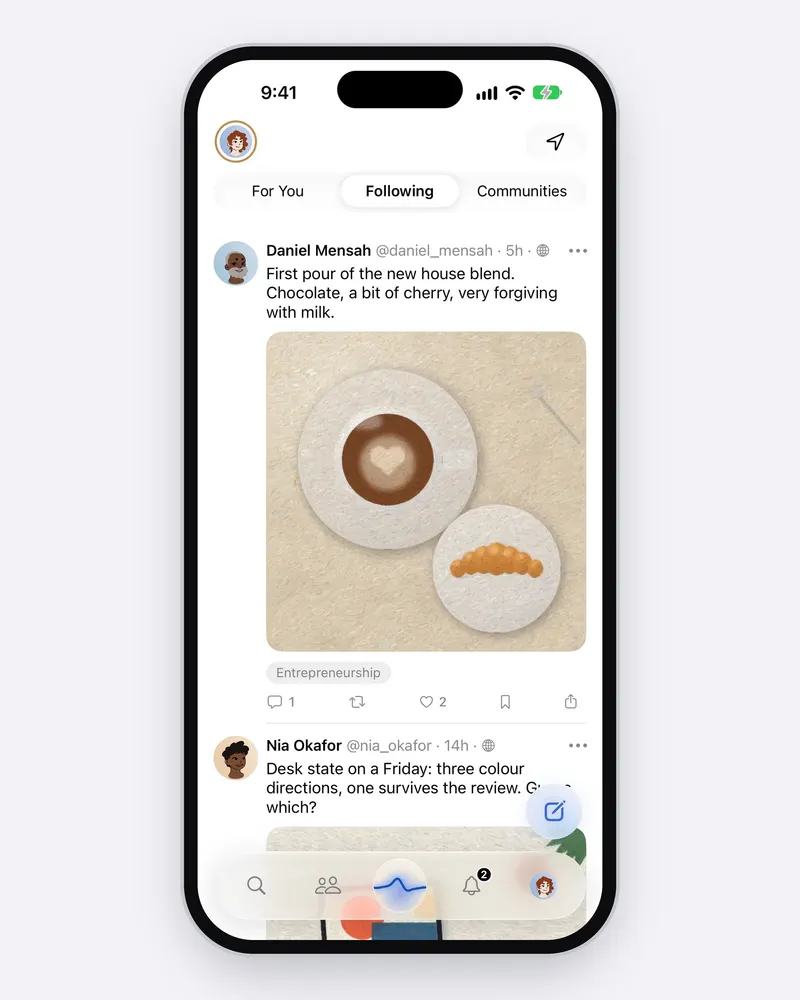
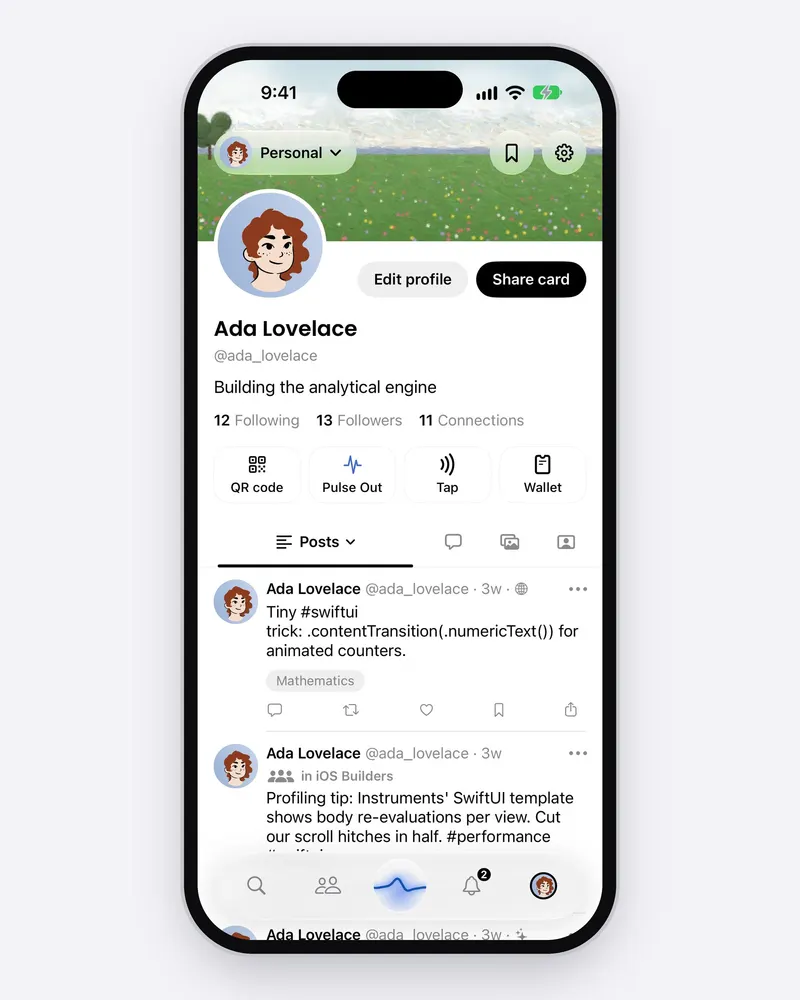
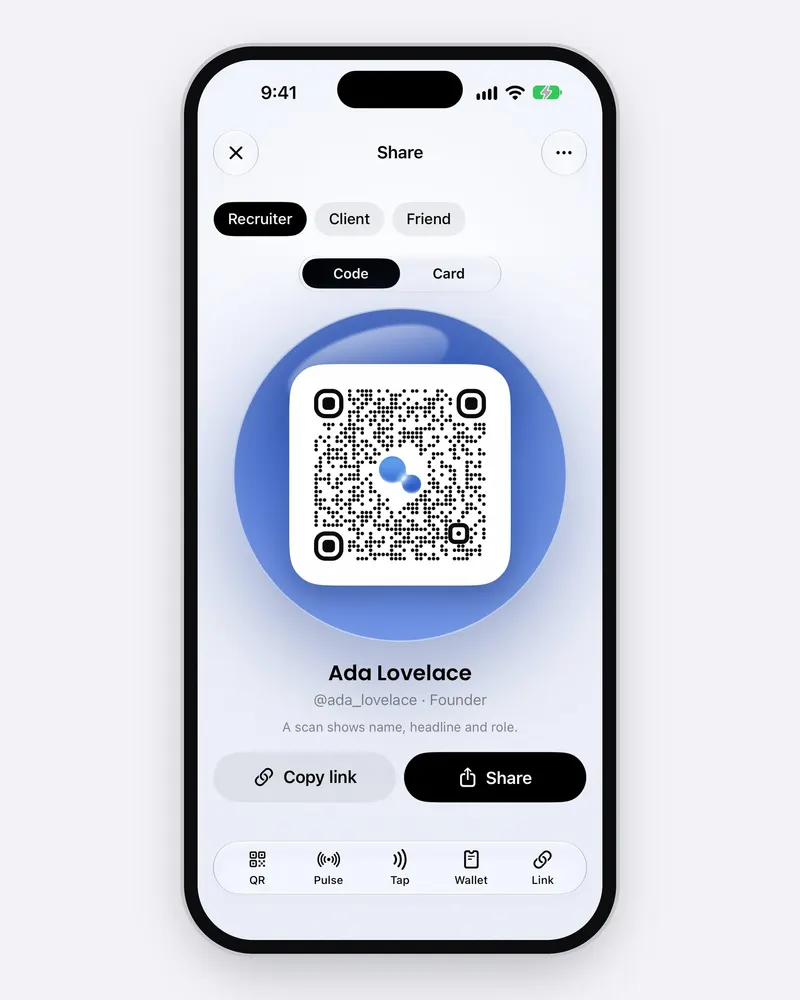
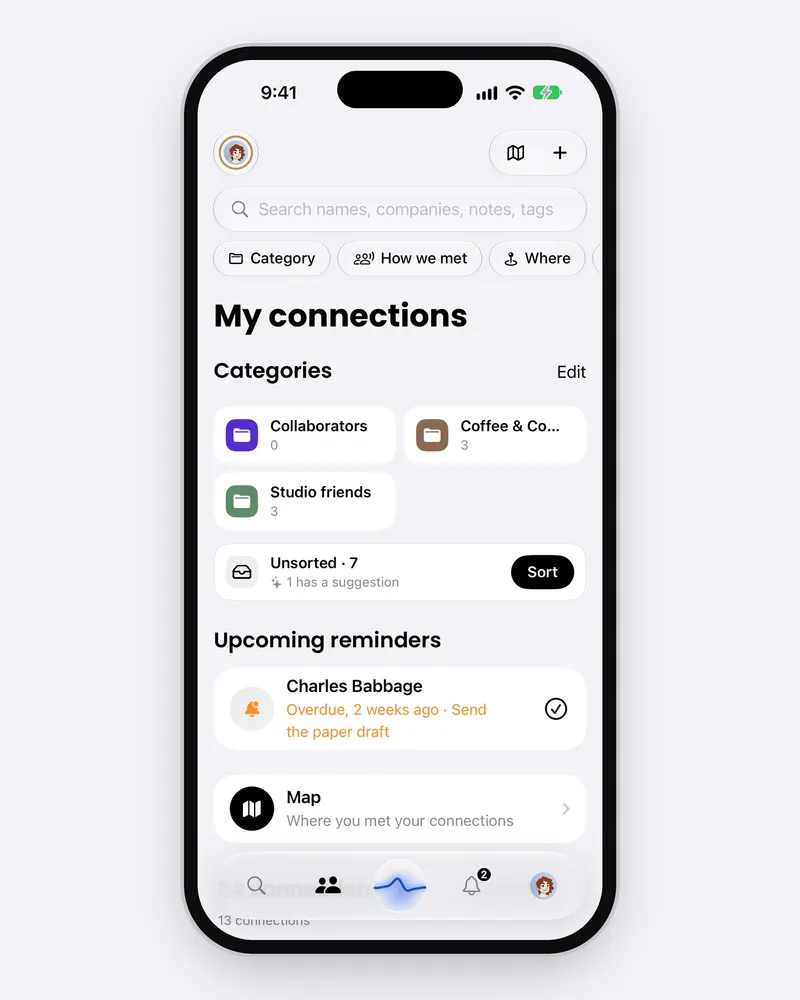



















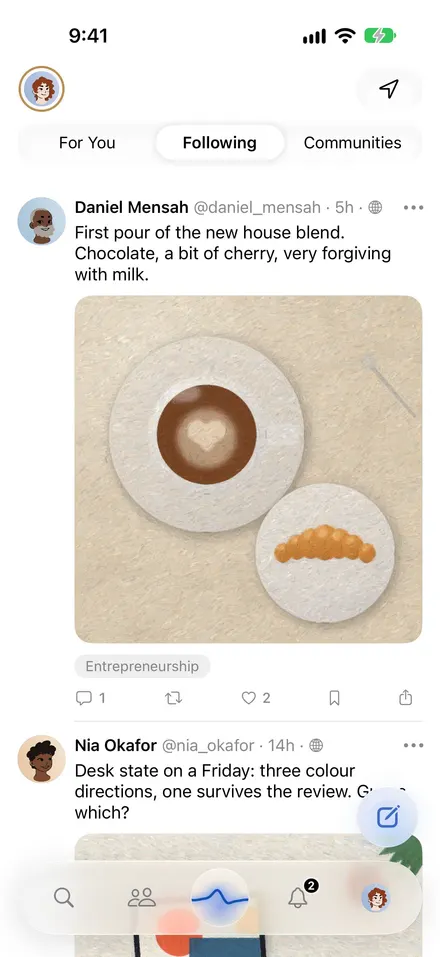
FeedFollowing means following 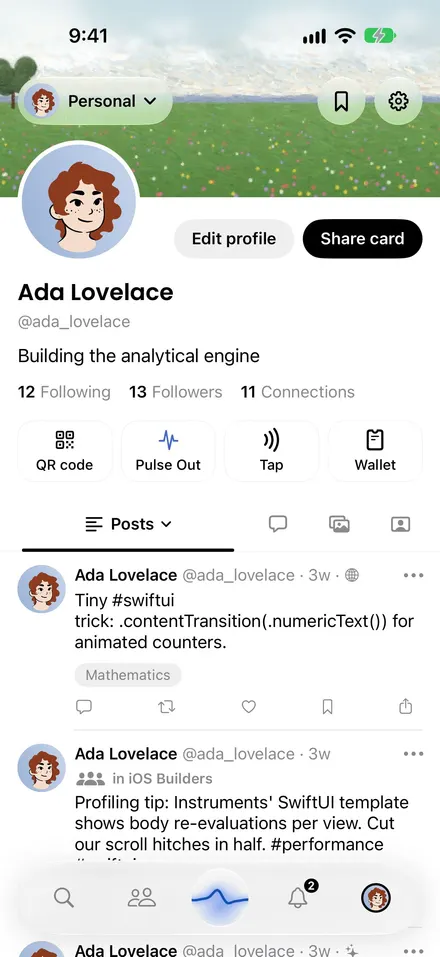
Your profileOne profile, every side of you 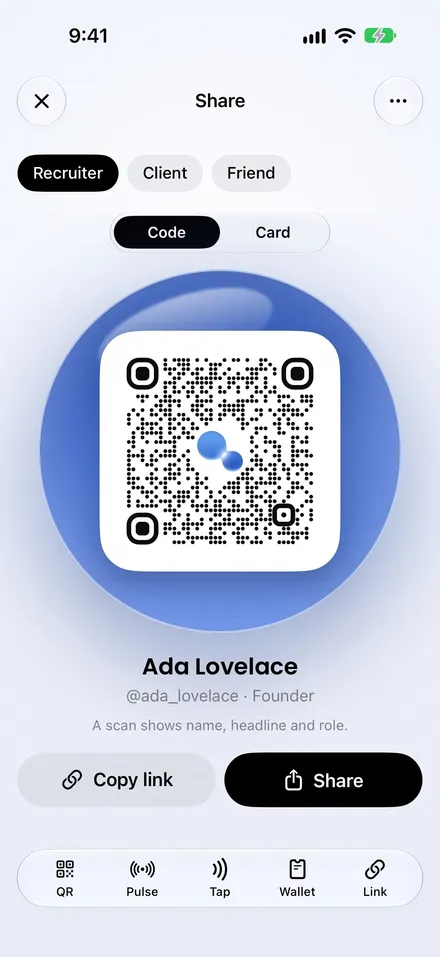
Pulse CardShare your card in a tap 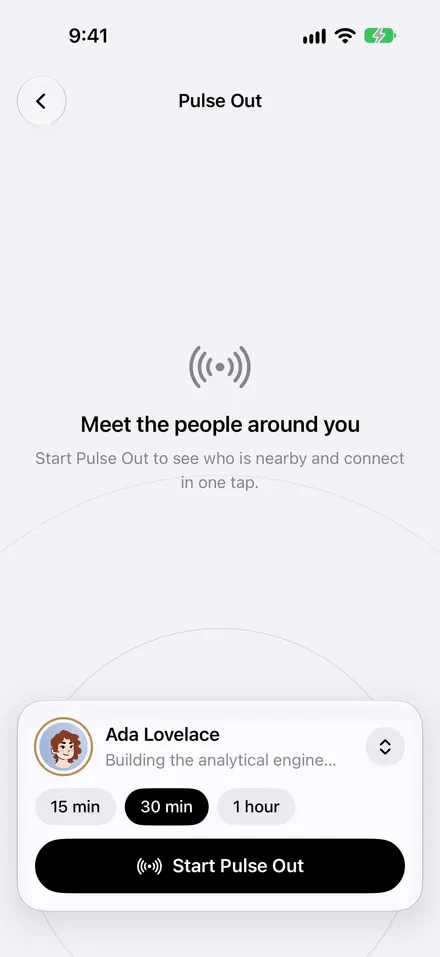
Pulse OutSee who's around 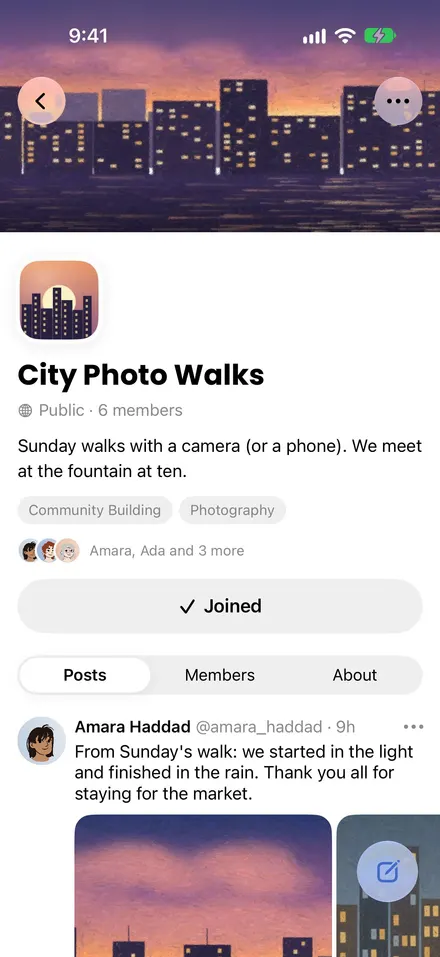
CommunitiesPlaces for what you care about 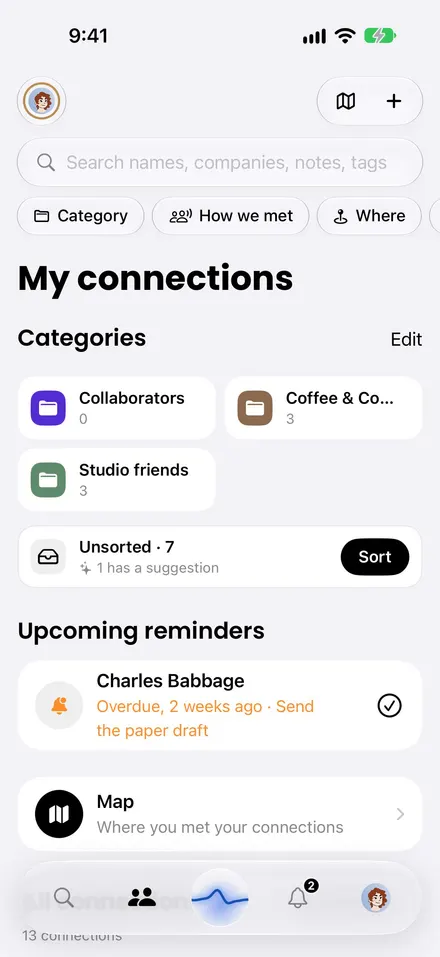
NetworkRemember how you met 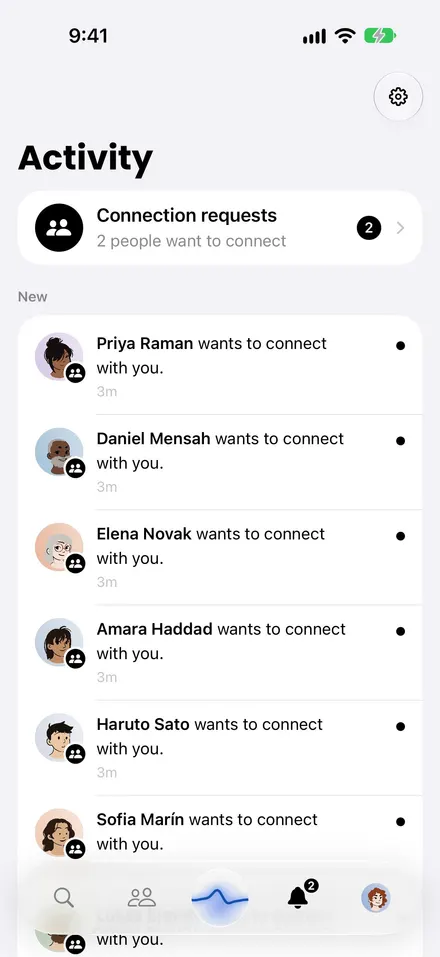
ActivityEverything new, in one place 
PostsEvery photo, up close 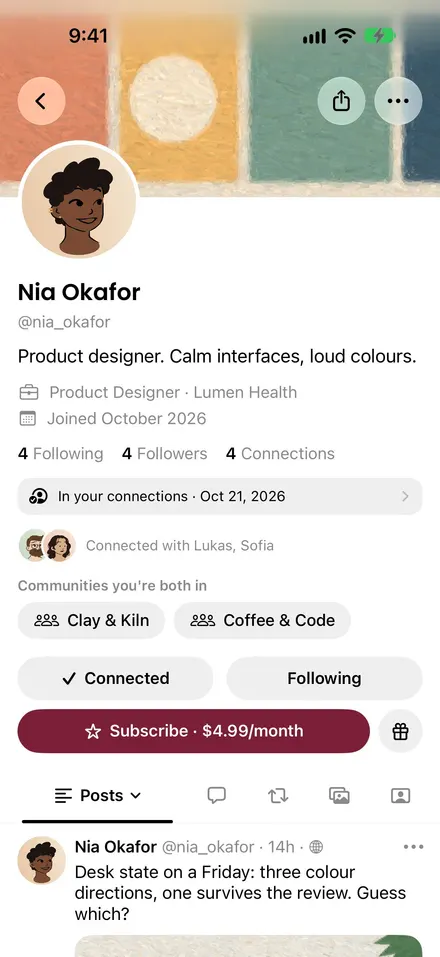
CreatorsSupport the people you follow 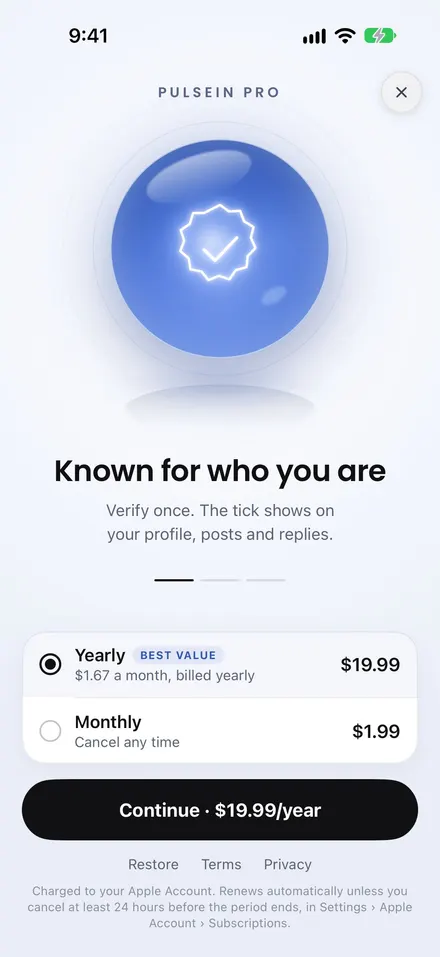
PulseIn ProGo further with Pro
Key features
What PulseIn does
Everything here is in PulseIn 2.0 for iPhone.
Pulse Cards and personas
Your profile, made to be handed over. A card for work and one for everything else, each with its own name, photo, colour and details. Presets decide which lines each share shows.
Share it any way
QR code, an NFC tag, your own link or an Apple Wallet pass. People don't need the app to see your card. Private cards use links that expire.
Pulse Out and nearby
See people within about a kilometre who have Pulse Out open too, only while it runs. Next to someone? Swap cards over Bluetooth with a random token, never an account id.
The Network
Every connection keeps where and when you met, notes and tags. Sort people into categories, with suggestions worked out on your iPhone and never sent to PulseIn's servers.
A calm feed
Following is newest first, never ranked. For You is optional, and personalisation can be switched off. Activity gathers what's new. No streaks.
Communities
Join one for your field, your city or your hobby, or start your own: open, by request, invite only or paid.
Subscriptions and tips
Creators can offer subscriptions and accept tips. Buyers pay through the App Store; creators are paid out through Stripe.
The verified tick
With PulseIn Pro, a quick identity check with Stripe adds a tick to your profile, posts and replies. PulseIn keeps only the result.
Private, and 16+
No ad SDKs or third-party analytics. Moderation runs on PulseIn's own servers. Sign-up offers Apple's age range sharing first; under 16 is refused.
Brand guidelines
Using the logo well
Use the supplied files, scaled proportionally, with room to breathe.
Clear space
Keep clear space equal to the height of the small drop (about half the height of the mark) on every side.
Minimum size
Horizontal lockup24 px · 8 mm tall
Stacked lockup48 px · 16 mm tall
Mark alone16 px · 6 mm; below 32 px prefer the app icon
Do: Use the files as supplied, on paper or near-black.
Do: On busy pictures, place it on a plain plate.
Don't recolour the drops.
Don't stretch, squash or rotate it.
Don't add shadows, outlines, glows or gradients.
Don't place it on busy pictures without a plate.
Don't use cobalt outside the mark and the orb.
Don't retype the wordmark or change the name.
Naming
One word, capital P and capital I. Feature names: Pulse Card, Pulse Out, PulseIn Pro.
- Correct: PulseIn
- Wrong: Pulsein
- Wrong: Pulse In
- Wrong: Pulse-In
- Wrong: PULSEIN
Voice
- Calm, plain and specific. Say what the app does, in people's words.
- No hype, superlatives or urgency.
- No claims we can't support; privacy lines match the app today.
Press contact
Writing about PulseIn?
For press enquiries, use our contact page. That's also the place for interviews, review access or anything not on this page.